Prepare your photos and words, then review the available settings and credit quote in the studio. Saving a draft does not spend credits.
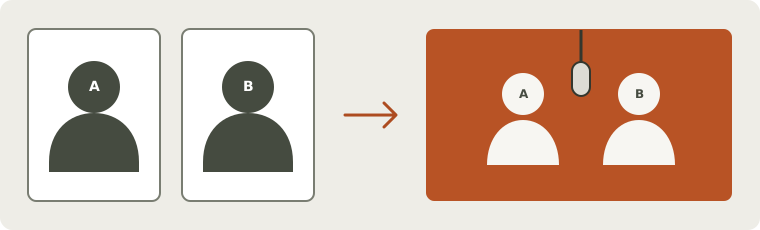
Input arrangement illustration — not photos or a generated result.
A photo is the starting point
Choose a clear portrait with the face visible. JPG, PNG, WebP and HEIC stills are supported up to 20 MB, with at least 320 pixels on each side. HEIC converts before upload; if conversion fails, export a JPEG or PNG.
The studio detects up to two performers automatically. Use one clear person for Solo, or two for Duo. For a larger group, crop a copy to the people you want to include.
Choose where the words and sound come from
A topic gives the generated performance a direction. Your own lyrics supply the words you want performed. Neither option records or clones the voice of the person in the photo. Generated vocals are a new performance and exact wording or pronunciation can vary.
Original-sound preservation and matching lip movements have not been fully verified. For now, this page helps you prepare the reference; it does not offer a complete-song video with guaranteed unchanged audio.
Choose where the words and sound come from
Starting point
Words
Voice and beat
Original recording
Preparation
Before you start
A topic
Generated from the idea
New generated performance
No recording supplied
Photo + topic in the studio
Choose available settings in the studio
Your lyrics
Your requested text
New generated performance
No recording supplied
Photo + short lyric fields
Recorded English examples show this workflow; words and roles can vary
Your recording
From the reference, subject to output review
The reference contains existing sound; output handling is unverified
Preservation not established
Local trimming tool, then a separate private reference upload
Prepare locally; original-sound preservation and lip sync have not been fully verified
From portrait to a reviewed clip
Add the photo, confirm the detected performer and choose the scene. Give the verse one idea: a birthday wish, an inside joke or a little encouragement. If you add lyrics, start with two brief lines and check the visible word count.
Review the model, duration, frame shape, resolution and quoted credits before submitting. Access depends on the current service and your account. Follow the task in My videos, then play the complete result with sound before downloading its MP4.
Check the face at the opening, in motion and at the ending.
Listen for missing words, an unexpected voice or a mispronounced name.
Save a local copy before the video file expires.
Want a friend in the performance?
Bring a friend with two separate portraits or one clear shared photo. Set a shared verse or short lines for each side, then choose who leads. You do not need to film together.
Real generated examples
Explore complete performances made with fictional adult references in the studio. Each video includes its original photos, words and settings.
A birthday rap for Alex
Input images
Input images
Original synthetic adult portrait references.
Requested English lyrics
Happy birthday, Alex, let the good times play. New roads, big dreams, make this your day.
The inspected opening, middle and ending keep one recognizable red-jacket performer, with no extra person observed.
Two independent offline transcriptions recognized the birthday wish and Alex’s name. The word “big” is repeated once.
The complete video played with sound enabled and downloaded successfully. Basic offline audio–visual alignment was also checked.
Limits of this example
The requested “big dreams” becomes “big, big dreams”; this example does not demonstrate word-for-word delivery.
This is one fictional adult, English audio and one Orange Booth / Fast / 720p / 10s configuration. It does not approve every portrait or phoneme-perfect lip sync.
Offline English transcription
Happy birthday, Alex, let the good times play New roads, big, big dreams, make this your day
Automatic transcription can mishear words. Play the complete recording to compare.The current studio, step by step
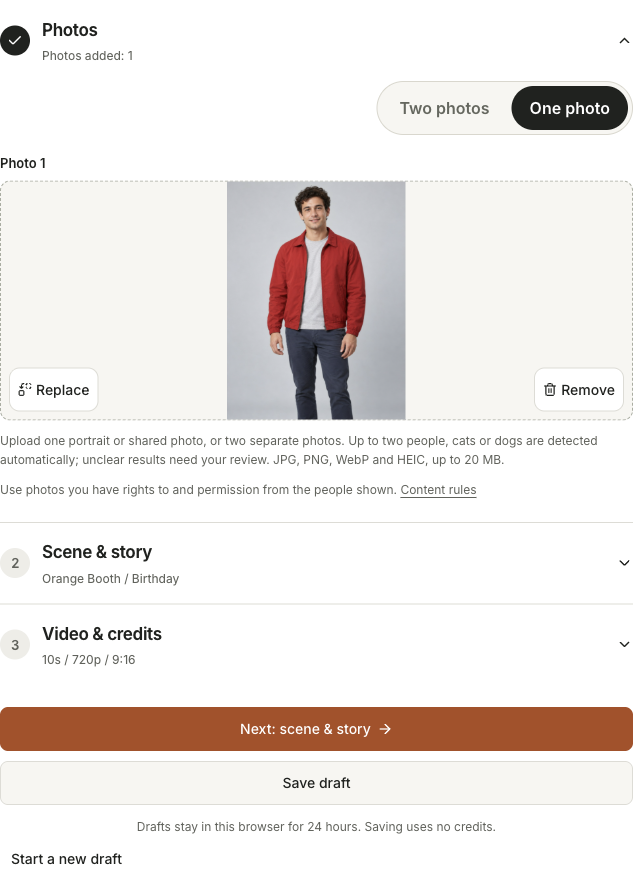
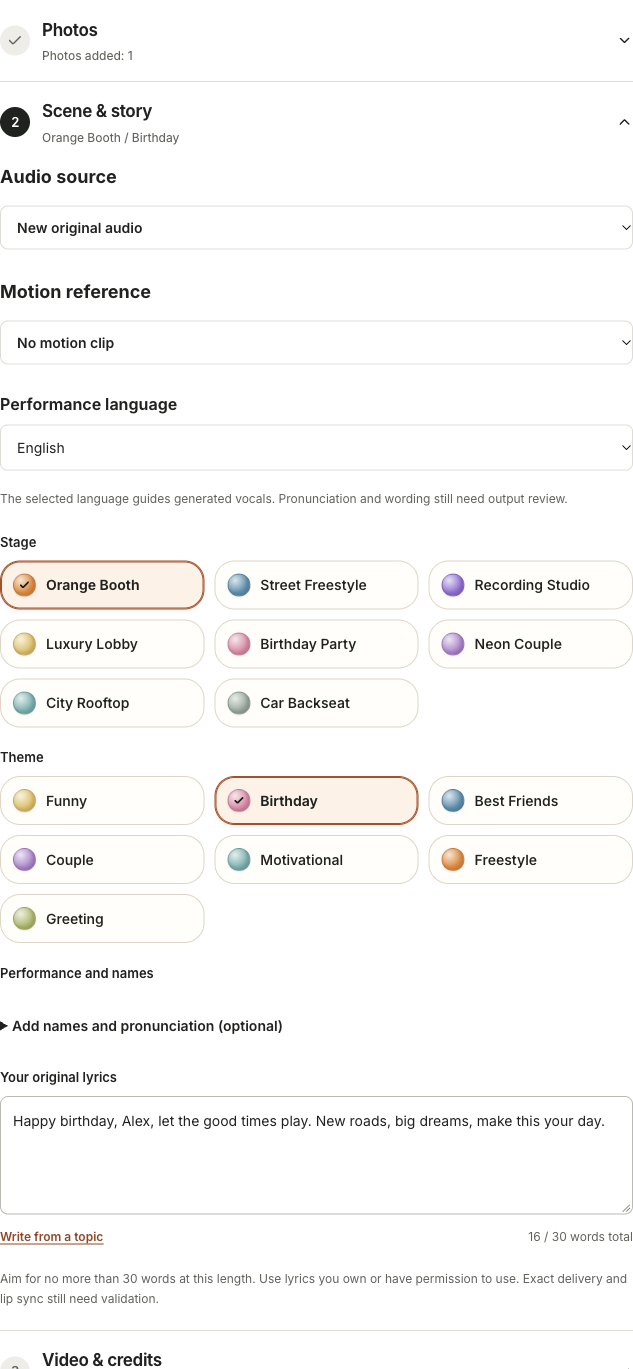
English interface excerpts from a draft on October 26, 2026. We reused the birthday setup and a synthetic portrait; capturing these steps did not submit a new generation. The displayed quote belongs to those settings and date.
Add the portrait
Choose “One photo”, add the original and inspect the detected subject. Continue with “Next: scene & story”.
Choose the message
Use Orange Booth and Birthday, then “Your original lyrics”. The example uses 16 of the 30 counted words available for this 10-second draft. Names and pronunciation notes remain optional.
Review the video and quote
“Review video settings” shows Fast, 720p, 10s, 9:16 and the server quote. Read the readiness and access notices before any separate paid submission. A saved draft is not an output.
Questions before you start
Do I need to sing or film myself?
No filming or singing is needed to prepare a photo-led draft. A generated performance asks the model for the sound and movement. Check the recorded result rather than assuming it is your real voice.
Can I paste my own lyrics?
Yes. Use the custom-lyrics option and keep the verse within the displayed duration budget. Exact words and mouth timing can vary.
Will everyone see my photos?
Your library is private. Explicit submission sends the required inputs to the video provider. A finished clip becomes accessible to others only when you choose to share it.
Is a sample a free preview of my photo?
No. Samples use their own inputs. There is no free personalized AI video preview; photo drafts and local writing tools do not spend video credits.